

Porter secures all Web services with SSL certificates issued by Let’s Encrypt. Porter will automatically handle the issuance and renewal of your certificates.Documentation Index
Fetch the complete documentation index at: https://porter-docs-porter-domain-networking.mintlify.app/llms.txt
Use this file to discover all available pages before exploring further.
Porter Domains
Porter generates placeholder domains for all Web services. These placeholder domains follow the format of*.onporter.run (or *.withporter.run on some clusters). While these domains can be used in production, we highly recommend attaching a custom domain to your production web services.
Finding your Porter domain
The auto-generated Porter domain for a service is displayed in the External networking card under the Networking tab of your Web service, labeled Porter domain. Use the copy button on the code block to copy the full hostname. If external networking was just enabled and the service has not yet been deployed, this field showsWill be generated on next deploy. — the domain becomes available after the next successful deploy.
Each service has at most one Porter domain. When external networking is disabled, the field stays visible but is dimmed.
Custom Domains
Setting up a custom domain involves two steps: setting up a DNS record to point to that domain, and then configuring your Web service to listen on that custom domain:DNS Setup
You must first find the DNS name assigned to the load balancer of your cluster. This can be found under the Networking tab of your Web Service: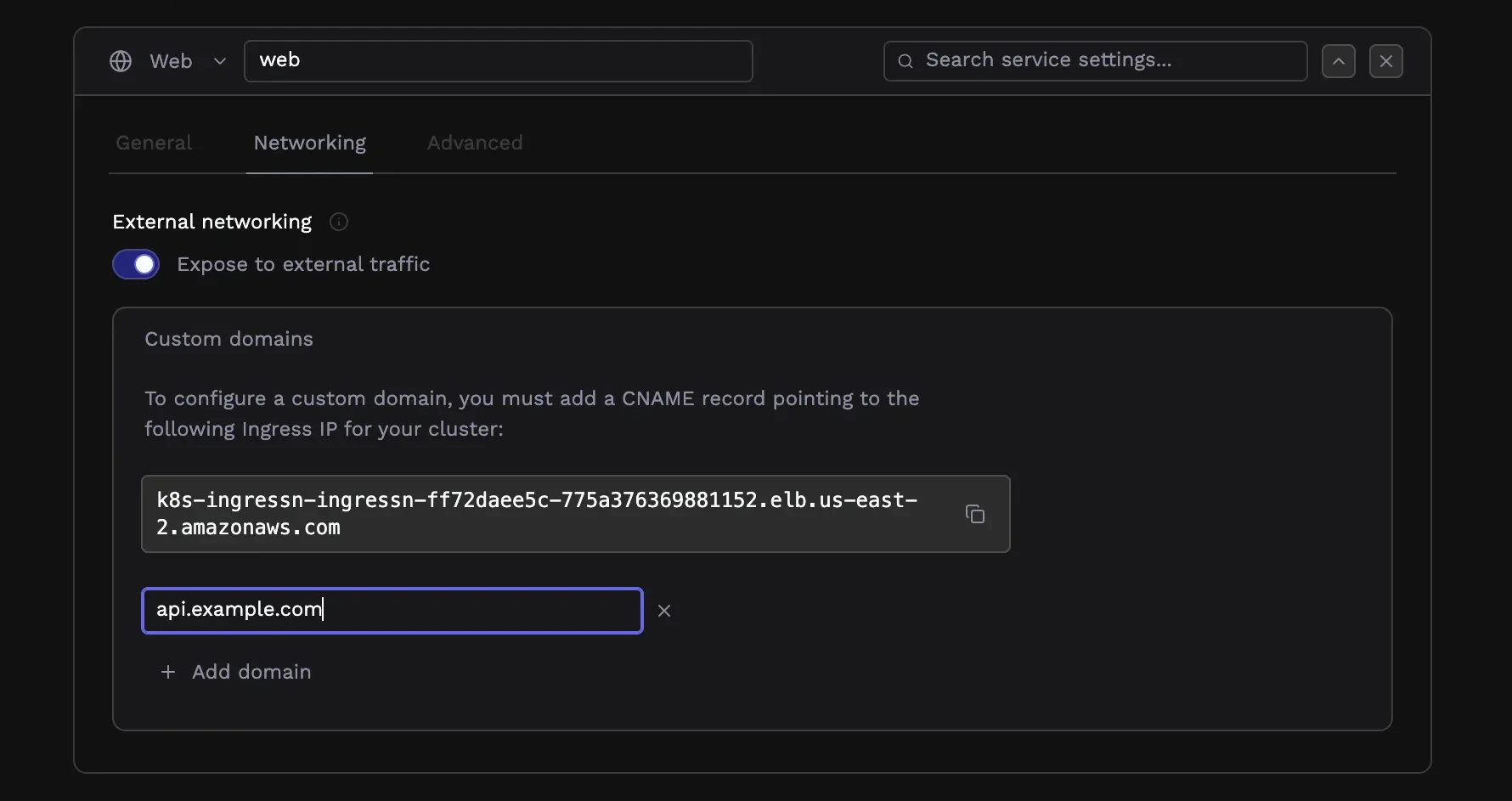
Google Cloud and Azure
On Google Cloud and Azure, the load balancer that sits in front of your infrastructure has a static IP address. Therefore, you have to create anA record in your DNS provider that points to that static IP address.
The name of the record should be the subdomain you want to use (e.g. app.mydomain.com),
and the value should be the IP address of the load balancer that you copied above.
Amazon Web Services
For clusters deployed on AWS, you need to create aCNAME record that points at the DNS name for your load balancer.
Please follow instructions below, based on the type of domain you are creating:
- Subdomain -> domains of the format
*.porter.runsuch ascloud.porter.run,myapp.porter.run - Apex domain -> top level domains, of the format
porter.run
- Subdomain
- Apex Domain
Create a 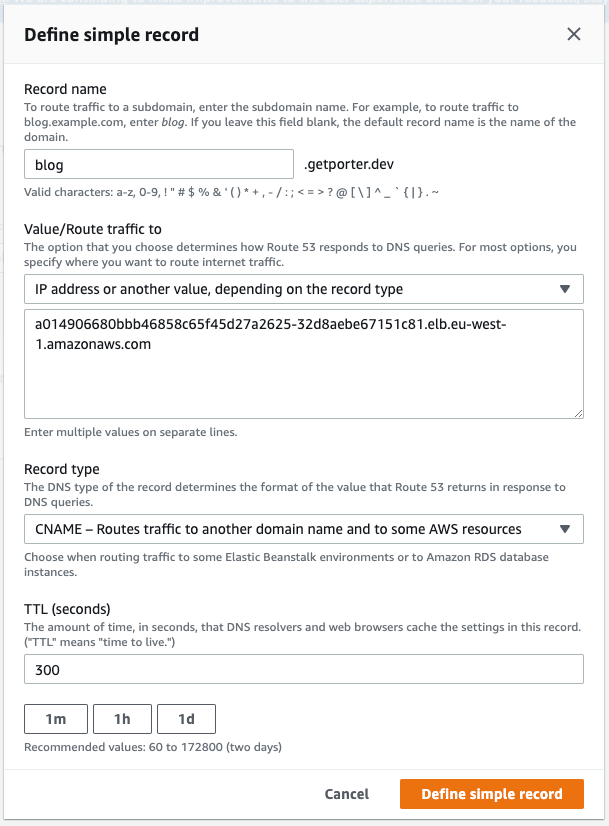
CNAME record on your DNS provider for your desired subdomain, which points to the load balancer URL you have copied above. Make sure you exclude the protocol http:// and any trailing / from the URL string. For example, on Route 53, this looks like the following:After you complete the previous steps, it might take up to 30 minutes for DNS records to fully propagate. Please wait before deploying your applications until the DNS propagation is complete. You can check this using tools like dnschecker.org or running
nslookup <your-domain>.